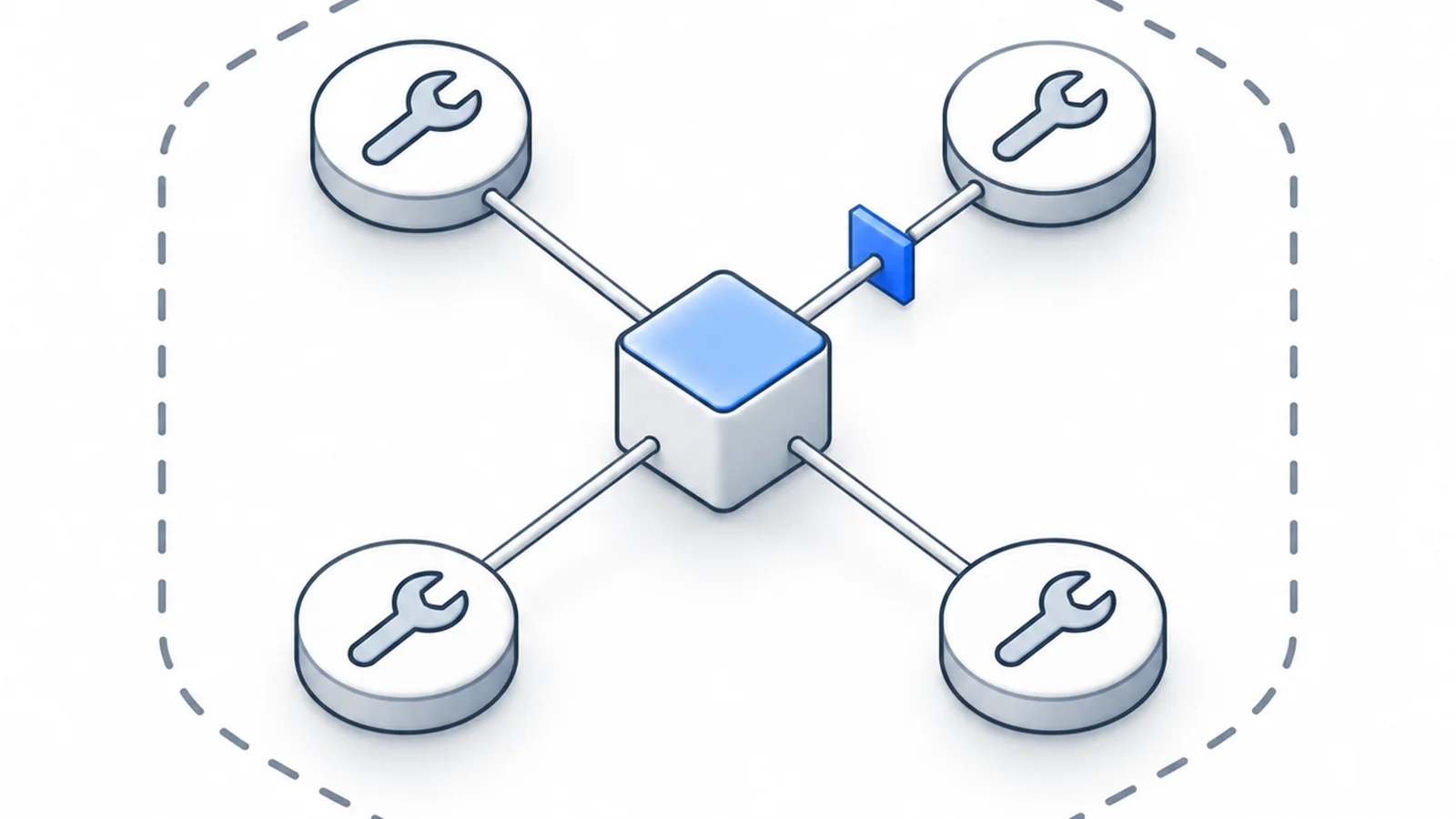
An operations agent whose tools are an allow-list in the policy, whose MCP servers are declared, whose consequential actions wait for approval, and whose runs are bounded and recorded. Your client calls the tools, or Inferbase calls the declared servers itself. Built on the Responses API.
What you build
An agent that acts on real systems, here an order system, through tools: it reads an order, changes an address, issues a refund, and reports what it did. The tools it may call are a list in the routing policy, taken from a dry run to enforced; the MCP servers they come from are declared, so a tool from nowhere is drift; actions with consequences wait for a person to approve them; and every run is one session with caps on requests and spend and a record of each call. The service is built on the Responses API, the shape the OpenAI Agents SDK sends, so an existing agent moves over with its base URL. The last step hands tool execution to Inferbase for a declared server, so the application never holds that server's credential.
When you are done
- An agent loop on the Responses API with four operations tools, one session per run
- A tool surface that is policy: dry-run reports first, then enforced refusals before any model is chosen
- Declared MCP servers, so the policy allows tools by server and undeclared tools are visible
- An approval gate: reads run at once, writes wait for a person
- Runs that stop on the policy caps and are read back as one agent run with its tool calls
The components
- Agent service
- Receives a task, mints a session id, runs the loop on the Responses API, executes or brokers the tools, and returns the outcome.
- Tool executor
- Thin functions over your systems: lookup_order, update_address, issue_refund, add_note. Each declares whether it is a read or a write.
- Approval gate
- A write is held until a person approves it, through your chat or ticket surface; the run resumes on its model with the session kept.
- Routing policy
- The tool-capable pool, the allow-list and its strictness, the declared servers, who calls the MCP tools, and the caps per session.
- Declared MCP servers
- Under Connections: each server's name, and for brokered servers its endpoint and token. Inferbase reads the tool list from each.
- Run store
- Postgres: one row per run, one per call with its request id, model and tool calls, one per approval.
- Inferbase
- The Responses and chat endpoints, routing among tool-capable models, the allow-list enforced at request time, and for brokered servers the tool execution itself.
- Evaluation
- A task set with the expected tool sequence and outcome; scored on success, unwanted tools, steps and cost.
The problem
An agent is only as safe as the list of tools it may call, and that list is usually nowhere.
A tool-using agent sends the model a list of functions and executes what the model asks for. In most deployments that list lives in the application code, changes with every deploy, and is seen by nobody who is responsible for what the agent may do. An MCP client makes it worse in one way: it merges every connected server into one flat list, so a tool that creates an issue and one that deletes a branch arrive side by side with no record of where either came from.
The second problem is the loop. An agent that keeps calling tools has no natural end, and the usual stop is a counter in the code. A counter does not bound spend, does not survive a bug in the loop, and leaves no record of why a run stopped.
The third is consequence. A read is cheap to get wrong; a refund is not. An agent that treats them alike either asks about everything or asks about nothing.
This guide moves the list into the policy. The tools a key may send are allow-listed, first in a dry run that reports what it would refuse, then enforced. MCP servers are declared, so a policy can allow tools by server and a tool from no declared server shows as drift. Writes wait for a person. One session identifier per run groups its calls, and the policy caps on requests and spend end a run that does not end itself. For servers you declare with a credential, Inferbase can call the tools itself, so the application never holds them.
Who has it
- A team shipping an agent that acts on real systems: tickets, orders, repositories, calendars
- A platform team that has to answer which tools which application may call
- Anyone running MCP servers who wants the credential out of the application
Architecture
System overview
Every component, grouped by who runs it. The product sits at the generation call; everything in your lanes is yours and unchanged by this design.
One request, end to end
The tool list is policy, not code. Execution stays with your client by default; a declared server with a credential can be called by Inferbase instead.
- 01OperatorAgent serviceGives the task: change the delivery address on order 4217 if it has not shipped.A session id is minted for the run.
- 02Agent serviceInferbase /responsesThe first call: model auto, instructions, the task as input, four tools declared, the session in the X-Inferbase-Session header.The Responses shape has no routing field, so the session rides in the header.
- 03InferbaseInferbaseChecks the four tool names against the allow-list (Dry run: serve and report; Enforce: refuse), keeps only tool-capable models, routes.A refusal is a 403 naming the tool, before any model is chosen.
- 04InferbaseAgent serviceOutput items: a function_call for lookup_order with the order id.The response names the model that served.
- 05Agent serviceOrder systemExecutes the read at once and appends a function_call_output.Reads need no approval.
- 06Agent serviceInferbase /responsesThe next call with the whole transcript: the task, the call, the output.The endpoint keeps no state; each call carries everything. The loop stays on the model that opened it.
- 07InferbaseAgent serviceA function_call for update_address.A write.
- 08Agent serviceApproverHolds the call and asks: change the address on 4217 to 12 Rue des Lilas, Lyon?The run is paused; the session is kept.
- 09ApproverAgent serviceApproves.A rejection is returned to the model as the tool output, so it can explain.
- 10Agent serviceOrder systemExecutes the write; appends the output; one more call to the API for the final message.Three model calls in all.
- 11Agent serviceOperatorReports what it did, with the run id.The run is under Usage as one agent run with its three calls and two tool calls.
Deployment
Where each part runs, and what talks to what over the network.
What stays in your stack
- The loop and the prompts
- Tool implementations, when your client calls them
- The systems the tools act on
- Approval steps for actions with consequences
Technology stack
One choice per layer, the alternative that was considered, and the reason. Swap any row; the Inferbase call does not change.
| Layer | Choice | Alternatives | Why |
|---|---|---|---|
| Language | Python 3.12 | TypeScript with the same SDK | The Responses shape and the MCP client SDK are first-class in both; Python is where most operations tooling lives. |
| API shape | The Responses API through the openai SDK | Chat completions; the OpenAI Agents SDK; the Anthropic Messages shape | The item list carries function calls and outputs as a transcript, which is what the Agents SDK sends and what the approval gate needs to pause and resume. |
| Tools | Named functions with a read or write flag | A generic execute tool | Names are what the allow-list governs and the record shows; the flag is what the approval gate reads. |
| MCP, client mode | The MCP Python SDK, servers declared under Connections | No MCP; HTTP clients per system | The client flattens tools into the same function shape; declaring the servers lets the policy allow by server and see drift. |
| MCP, brokered mode | Declared servers with a token, policy set to Inferbase calls them | Client mode | The credential leaves the application, the allow-list applies at execution, tool latency is measured, and a stop stops mid call. |
| Approvals | A pending-approval row and a message in your chat or ticket surface | Approve nothing; approve everything | Writes with consequences are few; a human on each costs seconds and prevents the one bad refund. |
| Run store | Postgres: runs, calls, tool calls, approvals | SQLite | Approvals need durable state; the run record is how a question about a past action is answered. |
| Governance | The policy's allow-list, declared servers, who-calls setting and session caps | Checks in code | Policy has a revision history, applies to every key, and cannot be bypassed by a deploy. |
What carries it
The Inferbase features this design rests on. Each exists in the product today and is linked to its documentation.
- The tool allow-list
- Tools the app may call, with a strictness: Any tool, Dry run (served and reported), or Enforce (refused with a 403 before any model is chosen). Every tool a project sends is recorded with when it was first seen. Documentation
- Declared MCP servers
- Declare a server under Connections and the policy can allow tools by server. A tool no declared server claims is drift, and the policy says whether it is served, served and recorded, or refused. Documentation
- Inferbase calls the tools
- Give a declared server its endpoint and a credential and Inferbase becomes the MCP client: it fetches the tool list, executes the calls the model asks for, and loops until the model has an answer. The application never holds the credential. Documentation
- Tool-capable models and a stable loop
- A tool-carrying request reaches only models with confirmed tool support, and a conversation mid tool loop stays on the model that made the call. Documentation
- Session caps
- The policy caps the requests and the spend one session may use. A run that reaches the request cap gets a 429 and one that reaches the spend cap a 402, which is the stop the loop may have forgotten. Documentation
- The Responses API
- The shape the OpenAI Agents SDK and Pydantic AI send, over the same router, with function calls and their outputs in the input list. The session rides in the X-Inferbase-Session header. Hosted tools are refused by name. Documentation
- Guardrails on tool results
- A guardrail policy can run the injection check at the tool-results door, so text a tool returned is inspected before the model reads it. Attacks mostly arrive there. Documentation
- Agent runs under Usage
- Requests grouped by session, with the tool calls per run; Usage › Tools lists every tool each project has sent. A brokered run adds usage.broker: turns, tools executed, failures, servers, why it stopped. Documentation
Build it step by step
Eight steps from a tool list in code to a governed, approved, recorded agent, ending with the brokered mode. The code is Python on the Responses API; the loop alone is also given in TypeScript after the policy, and both were run against the API. The brokered excerpt in step 8 follows the documentation and was not run. Each step ends with the thing it turns on.
Before you start
- An Inferbase account, a project, and a key with a spend cap for this service.
- The systems the tools act on, reachable from the service with its own credentials; a remote MCP server over HTTPS with a token if you will declare one.
- Python 3.12 with openai; the mcp package for client mode; Postgres for the run store.
Step 1: Create the routing policy with the allow-list in dry run
Build the pool by rule: supports tool calling. Under Request, set the allow-list to Dry run with the four tool names, choose the declared servers the tools may come from (none yet), set tools from an undeclared server to served and recorded, and leave who calls the MCP tools on your client. Under Fallback, refuse tool requests the pool cannot serve. Under Guardrails, name a guardrail policy with the injection check at the tool-results door in record mode. Under Session, cap requests and spend to the bound of one run. Attach to the key.
Dry run reports a tool outside the list with the tool and the key. Those reports are the list you will enforce in step 7; writing the list from the code instead misses the names the model invents.
Step 2: Define the tools with a read or write flag
Four operations tools in the Responses shape: lookup_order and add_note are reads, update_address and issue_refund are writes. The flag lives beside the definition and is what the gate reads. Keep descriptions plain and parameters minimal; a tool is a verb the policy can name.
TOOLS = [
    {"type": "function", "name": "lookup_order", "description": "Fetch an order by id.", "parameters": {"type": "object", "properties": {"order_id": {"type": "string"}}, "required": ["order_id"]}},
    {"type": "function", "name": "add_note", "description": "Add an internal note to an order.", "parameters": {"type": "object", "properties": {"order_id": {"type": "string"}, "note": {"type": "string"}}, "required": ["order_id", "note"]}},
    {"type": "function", "name": "update_address", "description": "Change the delivery address of an order that has not shipped.", "parameters": {"type": "object", "properties": {"order_id": {"type": "string"}, "address": {"type": "string"}}, "required": ["order_id", "address"]}},
    {"type": "function", "name": "issue_refund", "description": "Refund an order, in full or in part.", "parameters": {"type": "object", "properties": {"order_id": {"type": "string"}, "amount": {"type": "number"}}, "required": ["order_id", "amount"]}},
]

WRITES = {"update_address", "issue_refund"}  # these wait for a person


def execute(name: str, args: dict) -> str:
    """Your systems. Returns text the model reads; keep it short and factual."""
    if name == "lookup_order":
        return orders.get(args["order_id"]).model_dump_json()
    if name == "add_note":
        return orders.add_note(args["order_id"], args["note"])
    if name == "update_address":
        return orders.update_address(args["order_id"], args["address"])
    if name == "issue_refund":
        return orders.refund(args["order_id"], args["amount"])
    return json.dumps({"error": f"unknown tool {name}"})
Step 3: The loop on the Responses API
Each call carries the whole transcript as input items: the task, every function call and every output so far. The session id rides in the header because the Responses shape has no routing field. When the model answers without a function call, the run is complete; a 429 or 402 from the gateway is the policy cap, and the run is complete in a different way.
import json
from openai import OpenAI, APIStatusError

client = OpenAI(api_key="inf_your_api_key", base_url="https://api.inferbase.ai/api/v1/inference")

INSTRUCTIONS = "You are an operations agent. Use the tools; never guess an order's state. Explain what you did at the end."


def run(task: str, run_id: str, store: RunStore, approvals: Approvals, max_turns: int = 8) -> str:
    items = [{"role": "user", "content": task}]
    for _ in range(max_turns):
        try:
            response = client.responses.create(
                model="auto",
                instructions=INSTRUCTIONS,
                input=items,
                tools=TOOLS,
                max_output_tokens=500,
                extra_headers={"X-Inferbase-Session": run_id},
            )
        except APIStatusError as exc:
            if exc.status_code in (402, 429):
                store.finish(run_id, outcome=f"stopped by cap: {exc.message}")
                return "I had to stop: the run reached its limit."
            raise  # a 403 naming a tool: the list is wrong or the loop is
        store.call(run_id, response.id, response.model, [i.name for i in response.output if i.type == "function_call"])
        calls = [i for i in response.output if i.type == "function_call"]
        if not calls:
            store.finish(run_id, outcome="complete")
            return response.output_text
        for call in calls:
            items.append(call)
            output = gated_execute(call.name, json.loads(call.arguments), run_id, approvals)
            items.append({"type": "function_call_output", "call_id": call.call_id, "output": output})
    store.finish(run_id, outcome="max_turns")
    return "I could not finish within the step limit."
Step 4: The approval gate
A read executes at once. A write is written to the approvals table and sent to the approver through your channel; the loop waits for the decision. An approval executes the tool and returns its output; a rejection returns a sentence as the tool output, so the model can tell the operator what did not happen and why. The session id is unchanged across the wait, so the run resumes on its model.
def gated_execute(name: str, args: dict, run_id: str, approvals: Approvals) -> str:
    if name not in WRITES:
        return execute(name, args)
    approval_id = approvals.request(run_id, name, args)  # a row, and a message to the approver
    decision = approvals.wait(approval_id, timeout_s=600)  # your channel answers it
    if decision.approved:
        result = execute(name, args)
        approvals.record(approval_id, result)
        return result
    return json.dumps({"declined": True, "reason": decision.reason or "not approved"})
The model sees a declined write as a tool output, not as an error. It explains the outcome to the operator instead of retrying the write, which is the behaviour you want from an agent that was told no.
Step 5: Declare the MCP servers
When some tools come from MCP servers, declare each under Gateway › Connections › MCP servers with its name. Declaring tells Inferbase which tools the server offers, so the policy can allow tools by server, and a tool no declared server claims shows as drift. In client mode your service still runs the MCP client and merges the servers' tools into the same tools array; the declaration is what gives the merged list its provenance back.
from mcp import ClientSession
from mcp.client.streamable_http import streamablehttp_client


async def tools_from(server_url: str, token: str) -> list[dict]:
    """Flatten a declared server's tools into the Responses function shape."""
    async with streamablehttp_client(server_url, headers={"Authorization": f"Bearer {token}"}) as (read, write, _):
        async with ClientSession(read, write) as session:
            await session.initialize()
            listed = await session.list_tools()
            return [
                {"type": "function", "name": t.name, "description": t.description or "", "parameters": t.inputSchema}
                for t in listed.tools
            ]


# TOOLS = TOOLS + await tools_from("https://mcp.your-ticketing.example/mcp", TICKETING_TOKEN)
Step 6: Record the run
One row per run, one per call with the request id, the model and the tool names, one per approval. The gateway keeps the same facts as one agent run grouped by the session id, with every tool declared and called; your table adds the approvals and the business outcome. When a question about a past action comes, both agree, and the request id reads back the decision.
CREATE TABLE runs (
  run_id     text PRIMARY KEY,
  task       text NOT NULL,
  outcome    text,                       -- complete | max_turns | stopped by cap | error
  started_at timestamptz NOT NULL DEFAULT now(),
  ended_at   timestamptz
);

CREATE TABLE calls (
  id         bigserial PRIMARY KEY,
  run_id     text NOT NULL REFERENCES runs,
  request_id text NOT NULL,              -- reads back the routing decision
  model      text NOT NULL,
  tools      text[] NOT NULL,            -- function calls the model made on this turn
  created_at timestamptz NOT NULL DEFAULT now()
);

CREATE TABLE approvals (
  id         bigserial PRIMARY KEY,
  run_id     text NOT NULL REFERENCES runs,
  tool       text NOT NULL,
  args       jsonb NOT NULL,
  decision   text,                       -- approved | declined
  decided_by text,
  result     text,
  created_at timestamptz NOT NULL DEFAULT now(),
  decided_at timestamptz
);
Step 7: Take the allow-list to Enforce
After a week of dry run, read the reports under Usage: every tool served outside the list, with the key. Add what belongs, fix the loop for what does not, then switch the allow-list to Enforce and tools from undeclared servers to refused. From then on a name outside the list is refused with a 403 before any model is chosen, and the loop treats that as a bug, as step 3 does.
Enforce is per policy, so a second key under a looser policy can keep a staging agent in dry run while production is enforced.
Step 8: Brokered mode: let Inferbase call a declared server
For a declared server with an HTTPS endpoint and a static token, set the policy's who-calls-the-MCP-tools to Inferbase calls them. Inferbase then fetches the server's tool list, injects it into the request, executes the calls the model makes, and loops until the model has an answer. The request is a plain non-streamed chat completion; the response carries the whole run's tokens, cost and wall time, plus a usage.broker block with the turns, the tools executed, the failures, the servers and why the run stopped. The credential never reaches your service. Streaming is refused rather than served without tools; OAuth sign-in servers are not supported yet.
# The policy says Inferbase calls the declared server's tools; the request declares none itself.
completion = client.chat.completions.create(
    model="auto",
    messages=[
        {"role": "system", "content": INSTRUCTIONS},
        {"role": "user", "content": task},
    ],
    extra_body={"routing": {"session": run_id}},
)
broker = completion.usage.model_extra["broker"]
print(completion.choices[0].message.content)
print("turns", broker["turns"], "tools", broker["tools_executed"], "failed", broker["tools_failed"], "stopped", broker["stopped"])
# stopped: complete | max_turns | deadline | tool_errors | credential_refused | foreign_tool | disconnected
A run that stops on credential_refused shows on the server's row under Connections until the next successful refresh; a wrong token is visible at once, because saving one fetches the tool list again.
The routing policy
A rule pool of tool-capable models, an allow-list taken from Dry run to Enforce, declared servers only, your client calling the tools unless a server is given a credential, a guardrail on tool results, and caps on every session.
| Stage | Setting | Value | Why |
|---|---|---|---|
| Pool | How the pool grows | Models that meet a rule: supports tool calling | A model that cannot call tools never enters the pool. |
| Request | Tools the app may call | Dry run, then Enforce | Run with Any tool, read what the agent sends under Usage, write the list, dry-run it until the reports are quiet, then enforce. |
| Request | Declared MCP servers the tools may come from | The servers you declared | Allow by server rather than by remembering which tool belongs where. |
| Request | Tools from an undeclared MCP server | Served and recorded, then Refused | Drift is visible before it is refused. |
| Request | Who calls the MCP tools | Your client, or Inferbase for servers with a credential | Brokering moves execution behind the same policy as model selection, and the credential out of the application. |
| Guardrails | Prompt injection at the tool-results door | Record, then Refuse | Text a tool returns is the usual injection route. Record first to see the verdicts on your tools' output. |
| Session | Maximum requests and spend per session | 30 requests, $0.50 | The bound on one run. The orchestration treats the 429 or 402 as its stop. |
Create it under Policies in the portal and attach it to the key the application uses; the steps are in Create a routing policy.
The call
The loop on the Responses shape, which the OpenAI Agents SDK sends: tools declared on the call, function calls answered with their outputs, one session identifier for the run. Execution is a stub here; the build above adds the approval gate, the record and the brokered mode.
import json
from openai import OpenAI

client = OpenAI(api_key="inf_your_api_key", base_url="https://api.inferbase.ai/api/v1/inference")

RUN = "order-4217-run-1"  # one session id per run: one record, one set of caps
TOOLS = [
    {
        "type": "function",
        "name": "lookup_order",
        "description": "Fetch an order by id.",
        "parameters": {"type": "object", "properties": {"order_id": {"type": "string"}}, "required": ["order_id"]},
    },
    {
        "type": "function",
        "name": "update_address",
        "description": "Change the delivery address of an order that has not shipped.",
        "parameters": {
            "type": "object",
            "properties": {"order_id": {"type": "string"}, "address": {"type": "string"}},
            "required": ["order_id", "address"],
        },
    },
]


def execute(name: str, args: dict) -> str:  # your systems; stubs here
    if name == "lookup_order":
        return json.dumps({"order_id": args["order_id"], "status": "packed", "shipped": False})
    if name == "update_address":
        return json.dumps({"ok": True, "order_id": args["order_id"], "address": args["address"]})
    return json.dumps({"error": f"unknown tool {name}"})


items = [{"role": "user", "content": "Order 4217: the customer asks for the delivery address to be changed to 12 Rue des Lilas, Lyon. Do it if the order has not shipped, and tell me what you did."}]
for _ in range(6):
    response = client.responses.create(
        model="auto",
        instructions="You are an operations agent. Use the tools; never guess an order's state.",
        input=items,
        tools=TOOLS,
        max_output_tokens=400,
        extra_headers={"X-Inferbase-Session": RUN},
    )
    calls = [item for item in response.output if item.type == "function_call"]
    if not calls:
        print(response.model, "->", response.output_text)
        break
    for call in calls:
        items.append(call)
        items.append({"type": "function_call_output", "call_id": call.call_id, "output": execute(call.name, json.loads(call.arguments))})
Both snippets were run against api.inferbase.ai on 2026-10-13: the model looked the order up, found it unshipped, changed the address through the second tool, and reported what it did, on MiniMax M3 in 7 to 10 seconds for the whole run.
Open in PlaygroundAPI reference
Security and privacy
The controls are about names, credentials, consequences and bounds, and about where each one is enforced.
- Names are enforced by the gateway
- An enforced allow-list refuses a tool outside it before a model is chosen, for every key under the policy. The loop cannot widen it; a deploy cannot remove it.
- Provenance is declared
- Declared servers give a merged tool list its origin back. A tool from no declared server is drift: served and recorded while you learn, refused once you know.
- Credentials sit in one place
- In client mode your service holds them and the API key. In brokered mode the declared server's token lives with Inferbase, sent as a bearer on every call to that server, and your service holds only the API key. Give each server a token with the least scope that serves its tools.
- Consequences are approved by a person
- Writes wait in the approvals table for a decision from your channel. A declined write returns to the model as text, never as a retry.
- Tool results are inspected
- The injection check at the tool-results door reads text a tool returned before the model does. Attacks arrive there more often than in prompts.
- Runs are bounded
- Session caps on requests and spend; for brokered runs also a turn ceiling, a deadline and a limit on tool failures. A run that stops says why.
- Everything is recorded
- Every call's request id, every tool declared and called, every approval, and for brokered runs the usage.broker block. What the agent did is answerable afterwards.
Evaluation
A task set where each task has an expected outcome and an expected tool sequence. Run them through the service with approvals auto-granted in the test harness, and score four things: did the outcome match, were any tools called that should not have been, how many turns, what did it cost. Then run the same set pinned to one model.
- Outcome match
- The state of the order system after the run against the expected state: address changed, or not changed because it had shipped. The only success measure that matters.
- Unwanted tools
- Calls to tools the task did not warrant, from the record. During dry run, also the gateway's reports of tools outside the list.
- Turns and cost
- From the record and the receipts. A good run reads once, writes once, answers once.
- Declines
- Include tasks the approver declines in the harness and check the model reports the decline rather than retrying or pretending.
- Auto against pinned
- The same set with the model pinned. Compare outcome match and cost; tool-use quality differs between models more than chat quality does.
for case in tasks:  # {"task": ..., "expect_tools": ["lookup_order", "update_address"], "expect_state": {...}, "approve": True}
    reset_orders(case["fixture"])
    approvals = AutoApprovals(approve=case["approve"])
    run_id = f"eval-{case['id']}"
    answer = run(case["task"], run_id, store, approvals)
    called = [t for call in store.calls(run_id) for t in call.tools]
    ok_state = orders.snapshot() == case["expect_state"]
    unwanted = [t for t in called if t not in case["expect_tools"]]
    print(case["id"], "state ok" if ok_state else "STATE WRONG", "unwanted:", unwanted, "turns:", len(store.calls(run_id)))
Operations
Three views, two of them the gateway's: Agent runs, Usage › Tools, and your approvals table.
- Agent runs
- Under Usage, requests grouped by session: each call's model, task and cost, the tools declared and called. Your run store should agree; the request id reads back any decision.
- Tools first seen
- A tool name a project sends for the first time raises an event. That is the moment to decide whether it joins the list.
- Dry-run reports
- Tools served outside a dry-run list, with the key. Quiet reports for a week mean the list is complete.
- Server rows
- Under Connections, a declared server shows its last refresh and any credential refusal. Saving or replacing a token fetches the tool list again, so a wrong token shows at once.
- Why runs stopped
- For brokered runs, usage.broker.stopped by value over a week: complete should dominate; max_turns and tool_errors point at prompts or tools; credential_refused points at a token.
- Approval latency
- From the approvals table: time from request to decision. Long waits are an argument for a tighter list of what needs approval, not for approving less carefully.
Scaling and limits
Runs are independent and tool calls are the slow part. The limits are the key, your systems, and the brokered run's bounds.
- Real time, measured
- An operations chat where an action is being taken, not a sub-second assistant. The verified run of three model calls and two tool calls took 7 to 10 s end to end on 2026-10-13 with stubbed tools; real tools add their own latency, and a brokered run adds the server round trips. Each call waits on the provider's first token, 1.5 to 3.5 s on 2026-10-14. Show progress per step, and stream the final message from your service.
- Concurrent runs
- A queue in front of the service; each run is a handful of requests. The key's rate limit is the ceiling; raise it before launch.
- Tool latency
- In client mode, measure it yourself. In brokered mode Inferbase measures it per call and records it on the run.
- Many servers
- Declare each; allow by server in the policy. In brokered mode a run may span several servers, and usage.broker lists which offered tools.
- Long transcripts
- The Responses endpoint keeps no state, so each call carries the whole transcript. Summarise old tool outputs in the items you send when a run grows long.
- Streaming
- A brokered run cannot stream, because it is several model calls with execution between them. Stream the final message to the operator from your service instead.
- Bounds
- Session caps, a turn ceiling, a deadline and a failure limit all end a run; set each to the shape of a reasonable run and read the stop reasons to tune them.
Troubleshooting
What goes wrong when this is built, what it means, and what to do. Each one was met while building or running it.
| Symptom | Cause | Fix |
|---|---|---|
| 403 naming a tool | The allow-list is enforced and the request declared a tool outside it. | Add the tool if it belongs, fix the loop if it does not. The record names the tool and the key. |
| A brokered run stopped with foreign_tool | The model called a tool no declared server offers. | Declare the server that offers it, or tighten the prompt; the stop is the policy refusing drift. |
| A brokered run stopped with credential_refused | The declared server rejected its token. | Replace the token under Connections; saving it fetches the tool list again, which confirms the fix. |
| 400: previous_response_id is refused | The client assumed server-side conversation state. | Send the whole transcript in input on every call, as the Agents SDK does by default. |
| 400: a hosted tool type is refused | The request declared web_search, file_search, code_interpreter or mcp as OpenAI hosted tools. | Inferbase routes models; it does not run OpenAI's hosted tools. Use function tools, or declare an MCP server. |
| A streaming request on a brokered policy is refused | A brokered run is several calls with tool execution between them. | Send it non-streamed and stream the final message from your service. |
| The loop retries a write the approver declined | The decline was returned as an error rather than as a tool output. | Return a declined output as text, as the gate does; the model explains instead of retrying. |
| Runs end on 429 or 402 too often | The session caps are below the length of a normal run, or a loop is not converging. | Read the stopped runs; raise the cap if they were normal, fix the prompt or the tools if they were loops. |
Extending
The loop is small, and the policy carries most of the behaviour. Each extension is a tool, a server, or a channel.
- More systems
- A tool per verb, a read or write flag, a line in the executor. The allow-list grows by one name per deploy, reviewed in dry run first.
- Enterprise sources through brokered MCP
- Declare the vendor's remote server with a scoped token and let Inferbase call it. The service never holds the token and the allow-list applies at execution.
- The OpenAI Agents SDK
- Point it at the Responses endpoint; the loop in step 3 is what the SDK does internally. The session header and the approval gate attach through its hooks.
- Multi-agent
- A planner that hands sub-tasks to specialised loops, each with its own session and its own policy key. Governance stays per key.
- Approvals in Slack or a ticket
- The approvals table is the queue; a bot that posts a request and writes back the decision is the channel. The run waits either way.
- Your own keys
- Build the pool from a provider key or cloud account. The loop does not change; the policy decides whose credential serves each call.
What was measured
What one turn and one run cost in time on the public API. Tool execution was a stub, so real runs add your systems' latency.
| Measurement | Value |
|---|---|
| The verified two-tool run, three model calls, non-streamed, 2026-10-13 | 7 to 10 s |
| Streamed answer, first token, latency objective, a short prompt (3 runs) | 1.5 to 3.5 s |
| Time to decide (classify and rank), live traffic, 2026-10-13 | p50 18 to 31 ms |
Measured from our own infrastructure in India against api.inferbase.ai on 2026-10-14, three runs each, client-side wall time including the network hop (about 0.25 s each way), thinking off. Every response returns its own figures.
Further reading
- The Inferbase quickstarts repository; the tool-agent folder for this guide is planned
- Tools and MCP on the API
- Tool governance
- MCP servers under Connections
- The Responses API
- Guardrail policies: the tool-results door
- Build guide: coding agents
Frequently asked questions
The coding agents page is about routing the steps of a loop on what each step is. This page is about governing what the loop may do: the tool allow-list, the declared servers, the approval gate, the session caps and the brokered mode. Most agents need both, and the two policies compose in one routing policy.
In three stages the policy supports directly. Run with Any tool and read the tools your applications send under Usage, where each tool is listed with when it was first seen. Write the list and run it in Dry run, where a tool outside the list is served and reported. When the reports stop showing surprises, switch to Enforce, where a tool outside the list is refused before any model is chosen.
An MCP client merges every server's tools into one list, so the gateway cannot tell which server a tool came from. Declaring the servers under Connections tells Inferbase which tools each offers, so the policy can allow tools by server, and a tool from no declared server shows as drift, to be served, recorded or refused as the policy says.
When you want the credential out of the application and the allow-list enforced at execution rather than at declaration. Give a declared server its endpoint and a token, set the policy to Inferbase calls them, and Inferbase fetches the tool list, executes the calls the model asks for, measures tool latency, and loops until the model has an answer. The run cannot be streamed, only remote HTTPS servers are reachable, and the credential is a static bearer token, so servers that need an OAuth sign-in are not supported yet.
The policy session caps on requests and spend, plus, for brokered runs, a turn ceiling, a deadline and a limit on tool failures. For a brokered run the response says which bound ended it in usage.broker.stopped: complete, max_turns, deadline, tool_errors, credential_refused, foreign_tool or disconnected. For a client-executed loop, the 429 or 402 from the session cap is the signal.
No. A conversation mid tool loop stays on the model that made the call, and a failure falls back only within that model. A tool result is always read by the model that asked for it, which is what keeps a loop coherent across providers.
Yes. The Responses API is its default transport, and the endpoint takes the item-list input with function calls and their outputs, instructions, tools, tool choice and the text format. It keeps no conversation state, so each call carries the whole transcript, which the SDK does by default. A previous_response_id is refused with a 400, and OpenAI hosted tools are refused by name.
The run pauses in your service while the approver decides; nothing is sent to the API meanwhile. When it resumes, the next call carries the same session id and the same transcript, so the loop continues on the model that opened it. The policy session caps count only the requests made.
Each request records the tools it declared, the calls the model made, and any tool the policy refused or reported. Agent runs under Usage groups the requests by session and shows the tool calls per run; Usage › Tools lists every tool each project has sent and when it was first seen. A brokered run adds a usage.broker block: turns, tools executed, tools failed, servers, and why it stopped. Your run store adds the approvals.
Not by itself. In a brokered run the model is told why the call failed and can try another tool, up to a limit on consecutive failures that the policy may lower. A server that refuses its credential ends the run at once, since no retry can fix that, and the server row under Connections shows the refusal until the next successful refresh.